Android Beta
Thanks for helping test Real Bubble Craps on Android. Google needs two separate sign-ups from you, in this order.
IMPORTANT! - USE THE SAME ACCOUNT FOR BOTH STEPS. The Google account you join the group with has to be the one your phone's Play Store is signed into. Otherwise Play won't recognize you as a tester.
Step 1 of 2: Join the beta-testing Google Group
Play only lets members of our tester group install the beta, so this comes first.
- Tap the button and sign in with your Google account if asked.
- Tap Join group.

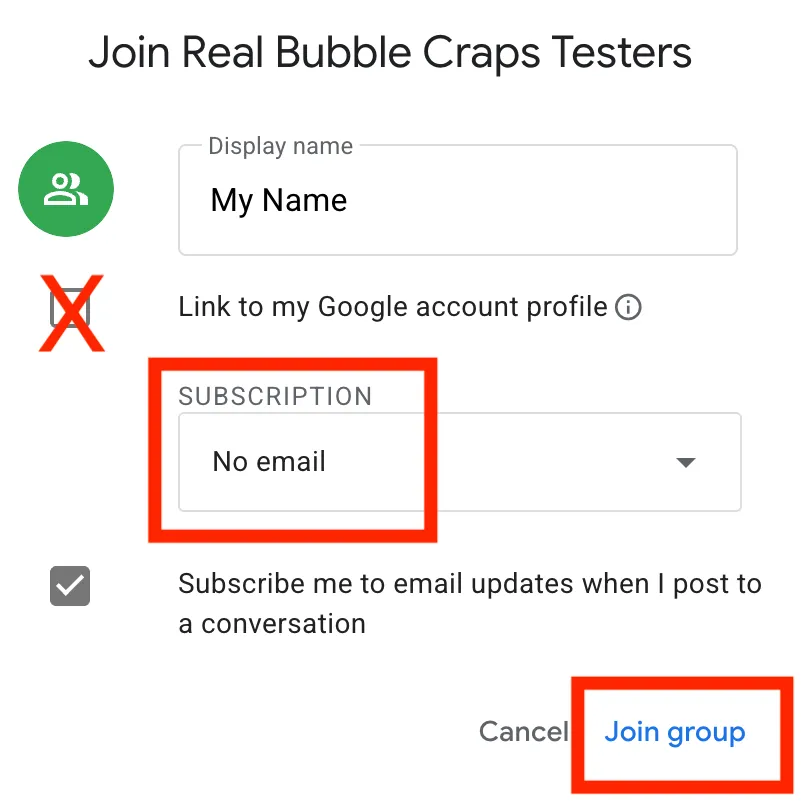
- Google will pop up a box about email updates and your profile. None of it matters for testing. Pick No email if you don't want messages, leave "Link to my Google profile" unchecked, and tap the Join group button at the bottom of that box.
Step 2 of 2: Become a tester and download game
- Open this page on your Android phone or tablet.
- Tap the button below. It opens the Google Play tester page.
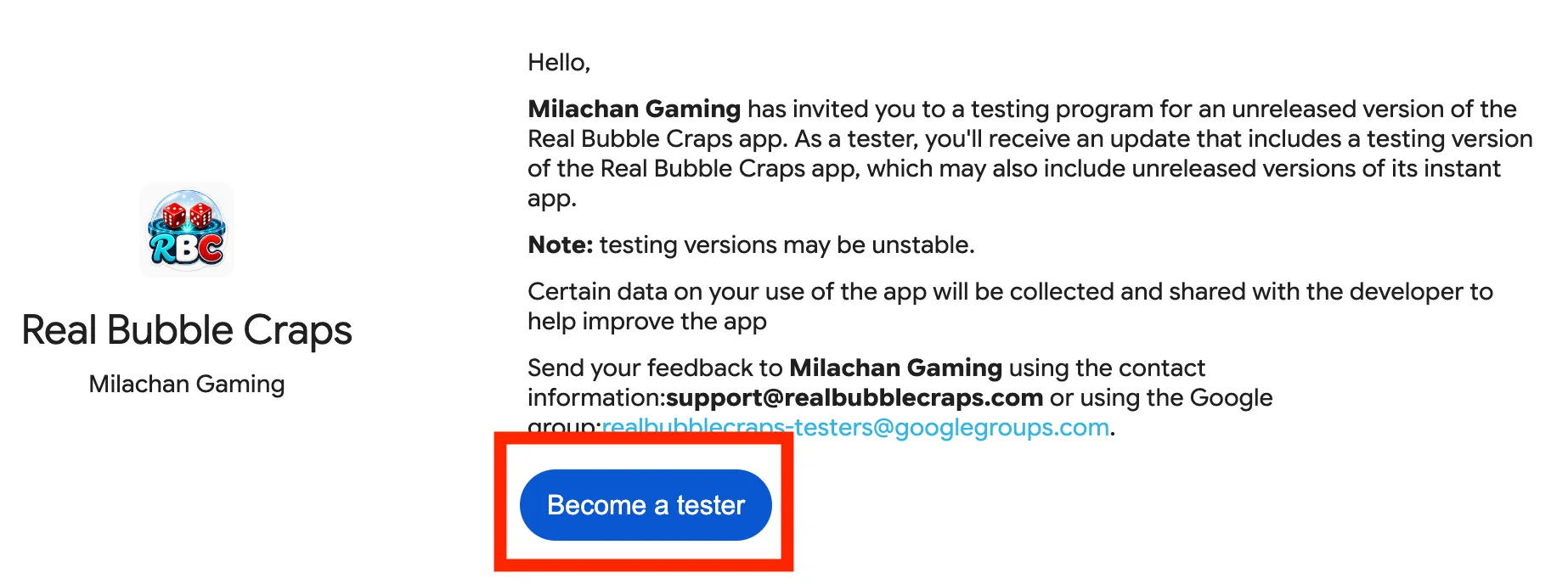
- On that page, tap Become a tester, and then download the game.
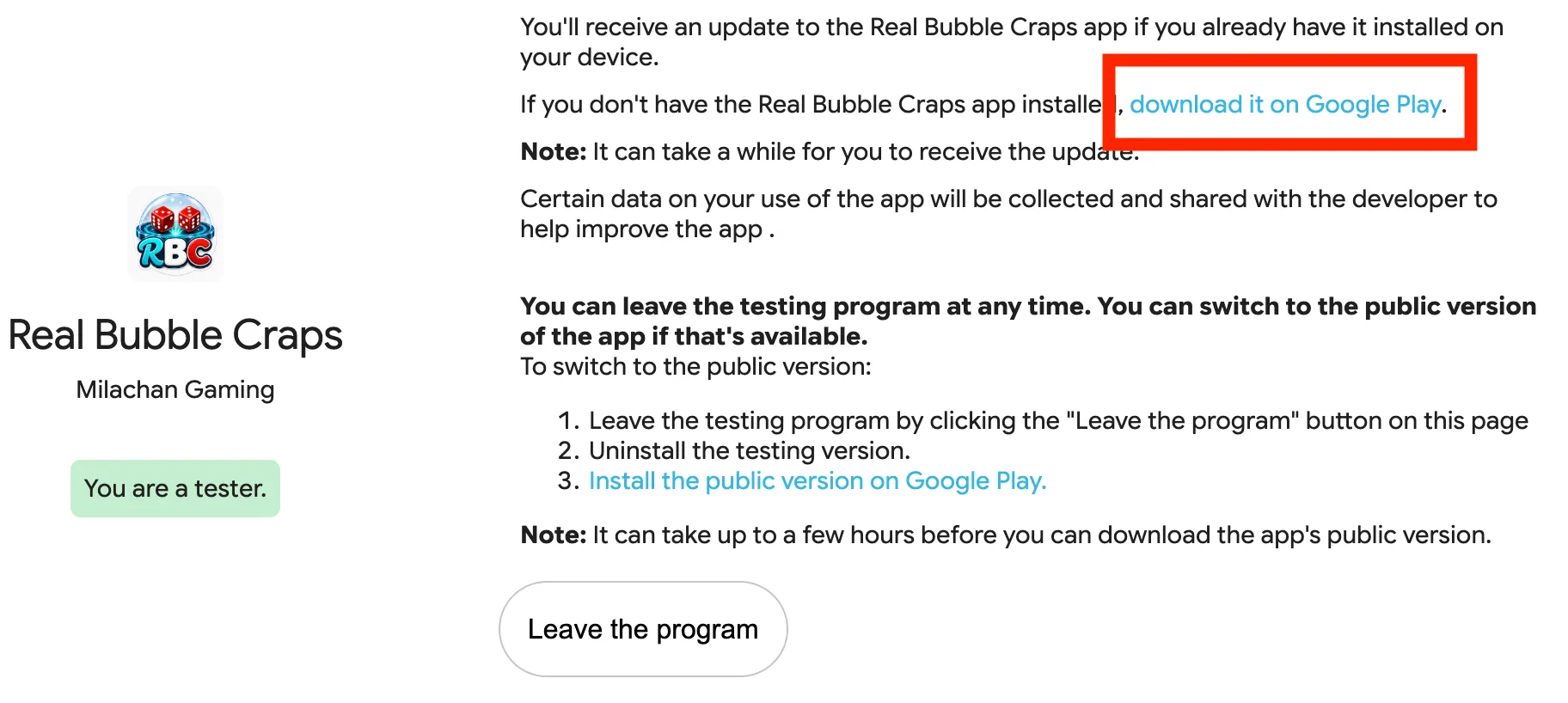
- Then install the game from the download it on Google Play link it shows you.
18+ only. Play money only, no ads. Please stay opted in for at least 14 days so the test counts. Problems or feedback: support@realbubblecraps.com.